


Locations and IP addresses
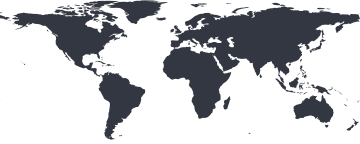
Mon checks from 7 locations on 4 continents. If your firewall lets in only the addresses it knows, allow these and every check gets through.

IP addresses
One per location, all IPv4.
| Location | Country | IP address |
|---|---|---|
| Virginia | United States | 44.214.184.251 |
| New York | United States | 74.50.79.30 |
| Dallas | United States | 38.92.48.124 |
| California | United States | 54.193.210.53 |
| São Paulo | Brazil | 18.228.129.71 |
| Frankfurt | Germany | 18.153.76.50 |
| Singapore | Singapore | 18.138.1.51 |
Letting Mon in
Add every address to your firewall's, load balancer's or hosting provider's allowlist. Behind Cloudflare or another proxy, add them to its allowlist too, so its bot protection doesn't turn the checks away.
Choosing locations
Mon places each monitor's checks for you, or you can choose the locations yourself - say, only those nearest your users. How checks are spread and confirmed is in the docs.
Where checks run fromFrequently asked questions
Allowlisting Mon, and recognising its checks.
Which checks come from these addresses?
Website, keyword, SSL, port and ping checks. Domain checks read your domain's public registration record, not your servers, and DNS checks ask each location's own resolver, so neither needs allowing through.
Do I need to allow all of them?
Allow every one if you can. Mon spreads each monitor's checks across its locations unless you choose them, and checks from a location your firewall turns away fail, which can mark the monitor down. If you choose a monitor's locations yourself, its checks come only from those.
How else can I recognise Mon's checks?
Website and keyword checks identify themselves with the user agent Mon Bot v1, unless you've set a monitor's own. That is enough for most web application firewalls and bot filters.
Can I monitor a server that doesn't answer pings?
Allow ICMP from these addresses, or watch the server another way: a port monitor checks the service you care about accepts connections, and a website monitor checks a site answers properly.
Where else can I find this list?
In your account, under Locations, where IP addresses lists the same addresses.